要在 CentOS Stream 10 的 Nginx 服务器上设置多个网站,您可以配置 Nginx server blocks(服务器块),从而实现在单个服务器上托管多个域名。请按照以下步骤开始操作。
步骤 1:确保系统上已安装并运行 Nginx。运行以下命令:
sudo systemctl status nginx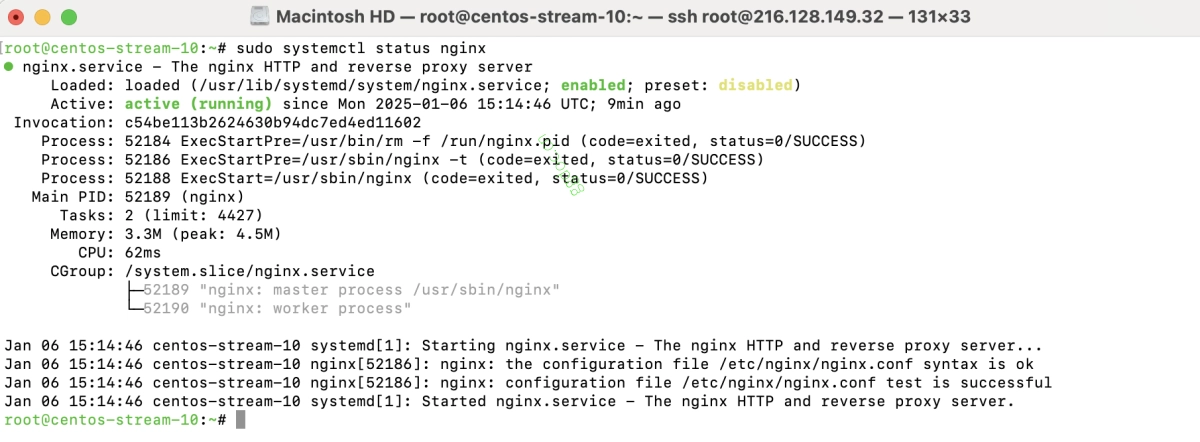
如果尚未安装 Nginx,请使用以下命令进行安装:
sudo dnf install nginx -y
sudo systemctl enable --now nginx
步骤 2:为您的网站文件创建一个目录:
sudo mkdir -p /var/www/html/example.com
创建一个示例 index.html 文件:
echo '<!DOCTYPE html><html><head><title>Welcome to example.com</title></head><body><h1>Success! example.com is set up!</h1></body></html>' |
sudo tee /var/www/html/example.com/index.html
步骤 3:设置所有权和权限,以确保 Nginx 可以访问这些文件:
sudo chown -R nginx:nginx /var/www/html/example.com
sudo chmod -R 755 /var/www/html/example.com
步骤 4:为 example.com 创建一个配置文件:
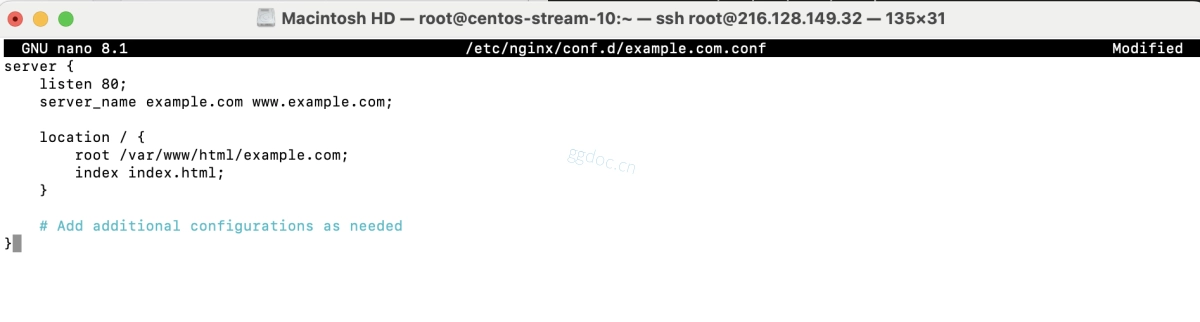
sudo nano /etc/nginx/conf.d/example.com.conf添加以下内容
server {
    listen 80;
    server_name example.com www.example.com;

    location / {
        root /var/www/html/example.com;
        index index.html;
    }

    # 根据需要添加其他配置
}
保存并退出文件。
步骤 5:如果启用了 SELinux,请运行以下命令以设置正确的上下文:
sudo semanage fcontext -a -t httpd_sys_rw_content_t "/var/www/html/example.com(/.*)?"
sudo restorecon -R /var/www/html/example.com
步骤 6:测试 Nginx 配置是否存在语法错误:
sudo nginx -t
步骤 7:如果测试成功,重新加载 Nginx 以应用更改:
sudo systemctl reload nginx
步骤 8:打开浏览器并访问 http://example.com。您应该会看到提示信息:“Success! example.com is set up!”

恭喜!您已在 CentOS Stream 10 上成功设置了 Nginx server block。现在您可以重复这些步骤,在同一台服务器上托管更多网站。