在本文中,我们将构建一个实用的、由本地 LLM 驱动的应用程序:一个电子设备列表整理器,它使用 Ollama 和 Llama 3.2 模型自动对物品进行分类。您将了解如何读取原始数据、设计提示词(prompt)、与模型交互并输出整齐有序的结果——完全离线运行。
概述
假设您有一个简单的文本文件,其中包含未分类的电子设备列表。我们的目标是利用 Ollama 的本地 LLM 能力来:
- 从文件中读取设备列表
- 提示 LLM 对物品进行排序和分类(例如:计算机、智能手机、家用电器、音频设备等)
- 将分类并按字母顺序排列的列表输出到终端以及一个新文件中
本项目展示了本地 LLM 如何帮助自动化日常任务,以及更换模型或提示词以获得不同结果是多么容易。
项目结构
root/
├── data/
│   ├── device_list.txt
│   └── categorized_device_list.txt
└── categorizer.py
device_list.txt:您的原始电子设备条目(每行一个)categorized_device_list.txt:输出文件,已整齐分类categorizer.py:主 Python 脚本
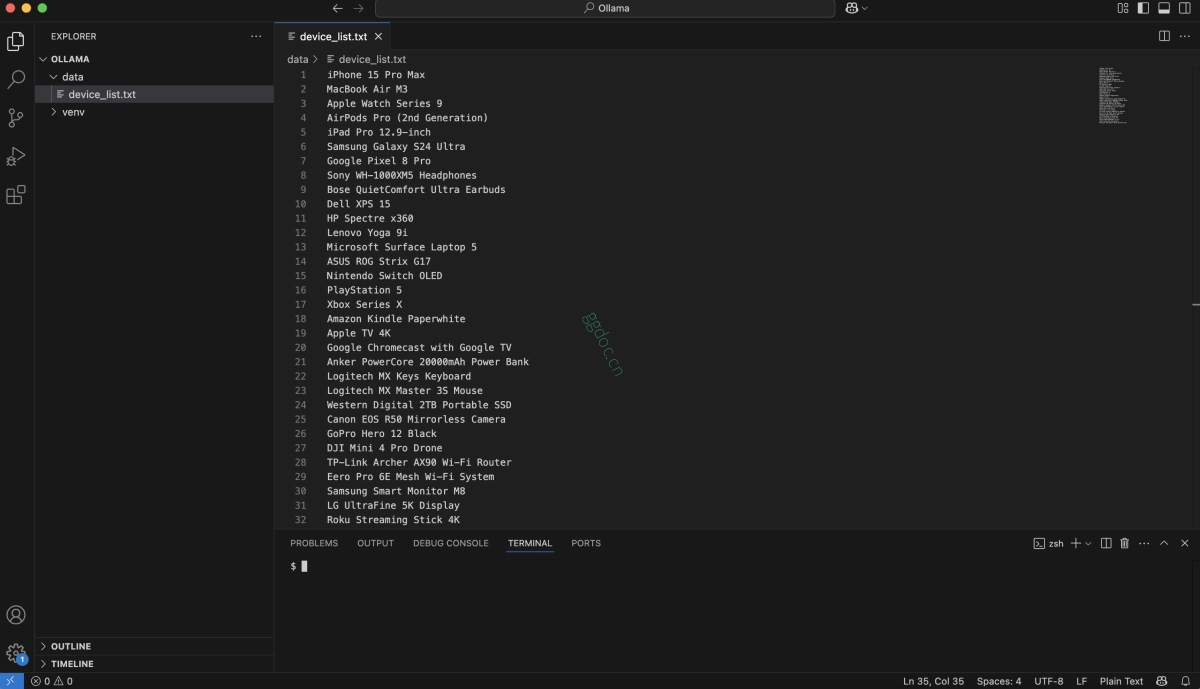
示例输入 (data/device_list.txt)
iPhone 15 Pro Max
MacBook Air M3
Apple Watch Series 9
AirPods Pro (2nd Generation)
iPad Pro 12.9-inch
Samsung Galaxy S24 Ultra
Google Pixel 8 Pro
Sony WH-1000XM5 Headphones
Bose QuietComfort Ultra Earbuds
Dell XPS 15
HP Spectre x360
Lenovo Yoga 9i
Microsoft Surface Laptop 5
ASUS ROG Strix G17
Nintendo Switch OLED
PlayStation 5
Xbox Series X
Amazon Kindle Paperwhite
Apple TV 4K
Google Chromecast with Google TV
Anker PowerCore 20000mAh Power Bank
Logitech MX Keys Keyboard
Logitech MX Master 3S Mouse
Western Digital 2TB Portable SSD
Canon EOS R50 Mirrorless Camera
GoPro Hero 12 Black
DJI Mini 4 Pro Drone
TP-Link Archer AX90 Wi-Fi Router
Eero Pro 6E Mesh Wi-Fi System
Samsung Smart Monitor M8
LG UltraFine 5K Display
Roku Streaming Stick 4K
Ring Video Doorbell Pro 2
Nest Learning Thermostat
Philips Hue Smart Bulb Starter Kit
分类器 Python 脚本
创建 categorizer.py 如下所示:
import ollama
import os

MODEL = "llama3.2"
INPUT_PATH = "data/device_list.txt"
OUTPUT_PATH = "data/categorized_device_list.txt"

if not os.path.exists(INPUT_PATH):
    print(f"Input file not found: {INPUT_PATH}")
    exit(1)

with open(INPUT_PATH, "r") as f:
    items = f.read().strip()

prompt = (
    "You are an assistant that categorizes and sorts electronic devices. "
    "Here is a list of devices:\n"
    f"{items}\n"
    "1. Categorize these items into appropriate categories such as computers, smartphones, home appliances, audio devices, gaming consoles, smart home devices, cameras, etc.\n"
    "2. Sort the items alphabetically within each category.\n"
    "3. Present the categorized list in a clear and organized manner using bullet points or numbering."
)

try:
    response = ollama.generate(
        model=MODEL,
        prompt=prompt
    )
    categorized = response['response'].strip()
except Exception as e:
    print("Error during categorization:", e)
    exit(1)

print("\nCategorized Device List:\n")
print(categorized)

with open(OUTPUT_PATH, "w") as f:
    f.write(categorized)

print(f"\nCategorized device list has been saved to: {OUTPUT_PATH}")
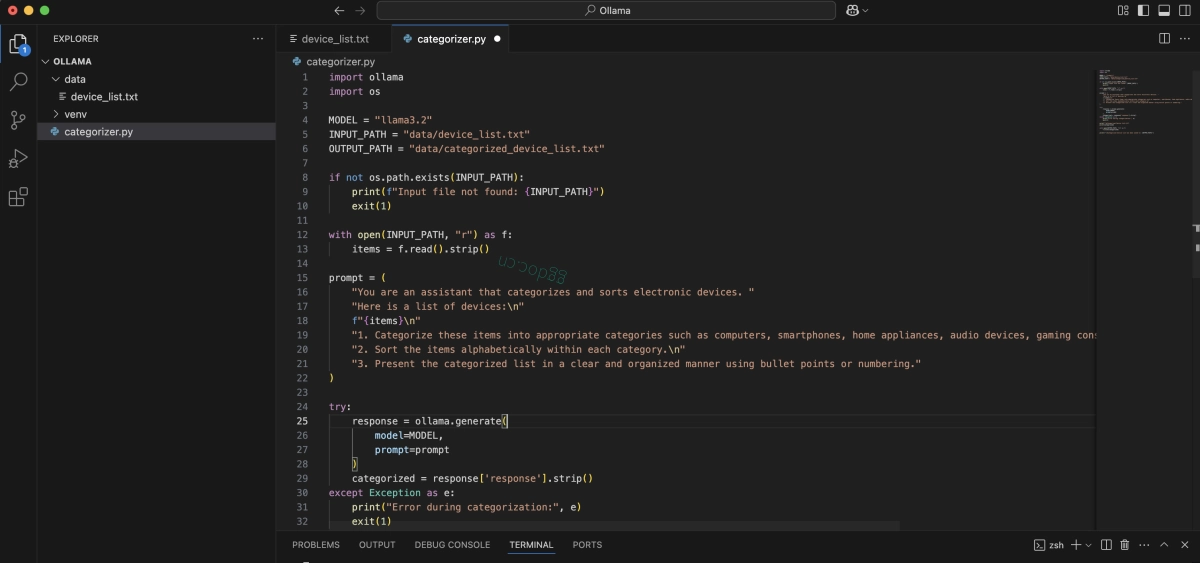
运行应用程序
激活您的环境并运行:
python categorizer.py
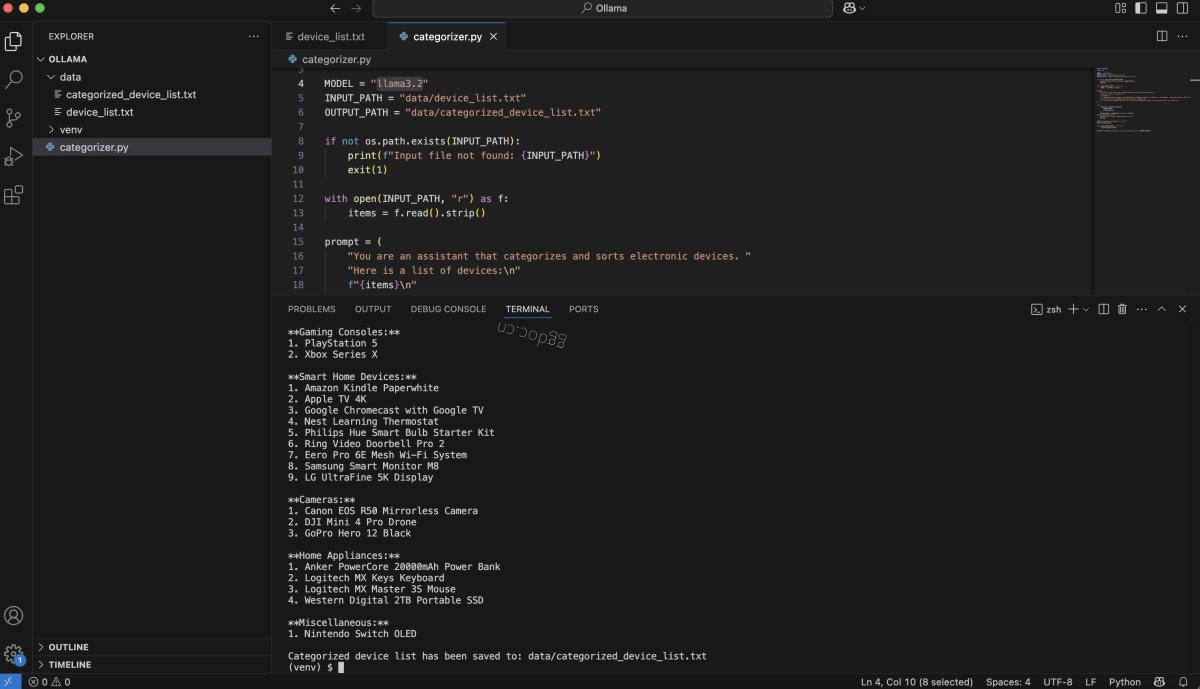
您将看到终端输出以及一个新文件 data/categorized_device_list.txt,其中包含整理好的设备列表。
示例输出
Here is the categorized list of electronic devices:

Computers:
1. Dell XPS 15
2. HP Spectre x360
3. Lenovo Yoga 9i
4. MacBook Air M3
5. Microsoft Surface Laptop 5
6. Samsung Galaxy S24 Ultra
7. Sony WH-1000XM5 Headphones

Corrected category: Headphones

Smartphones:
1. Apple Watch Series 9
2. iPhone 15 Pro Max
3. Samsung Galaxy S24 Ultra
4. Google Pixel 8 Pro

Corrected category: Audio Devices (Headphones and Speakers)

Audio Devices (Speakers and Headphones):
1. Apple Watch Series 9
2. Bose QuietComfort Ultra Earbuds
3. Sony WH-1000XM5 Headphones

Corrected categories:
* Smartphones: Google Pixel 8 Pro
* Gaming Consoles: PlayStation 5, Xbox Series X
* Smart Home Devices: Amazon Kindle Paperwhite, Apple TV 4K, Google Chromecast with Google TV
* Cameras: Canon EOS R50 Mirrorless Camera, GoPro Hero 12 Black, DJI Mini 4 Pro Drone
* Home Appliances: Nest Learning Thermostat, Philips Hue Smart Bulb Starter Kit, Ring Video Doorbell Pro 2

Corrected list:
Computers:
1. Dell XPS 15
2. HP Spectre x360
3. Lenovo Yoga 9i
4. MacBook Air M3
5. Microsoft Surface Laptop 5
6. Samsung Galaxy S24 Ultra

Smartphones:
1. Google Pixel 8 Pro

Audio Devices (Speakers and Headphones):
1. Apple Watch Series 9
2. Bose QuietComfort Ultra Earbuds
3. Sony WH-1000XM5 Headphones

Gaming Consoles:
1. PlayStation 5
2. Xbox Series X

Smart Home Devices:
1. Amazon Kindle Paperwhite
2. Apple TV 4K
3. Google Chromecast with Google TV
4. Nest Learning Thermostat
5. Philips Hue Smart Bulb Starter Kit
6. Ring Video Doorbell Pro 2
7. Eero Pro 6E Mesh Wi-Fi System
8. Samsung Smart Monitor M8
9. LG UltraFine 5K Display

Cameras:
1. Canon EOS R50 Mirrorless Camera
2. DJI Mini 4 Pro Drone
3. GoPro Hero 12 Black

Home Appliances:
1. Anker PowerCore 20000mAh Power Bank
2. Logitech MX Keys Keyboard
3. Logitech MX Master 3S Mouse
4. Western Digital 2TB Portable SSD

Miscellaneous:
1. Nintendo Switch OLED
只需几行代码和一个本地 LLM,您就自动化了一个现实世界的任务——无需云端,无需 API 密钥,且具备完全的隐私保护。尝试使用您自己的数据和想法进行实验吧!